Capture
Press Alt+C while reviewing a YouTube video to capture the current playback time and name the chapter.
CREATOR UTILITY · CHROME EXTENSION
Build clean YouTube chapters without breaking your editing flow.
Capture timestamps directly from a YouTube video, clean up rough notes, validate chapter rules, and copy or export a ready-to-paste chapter list.

Platform
Chrome / Chromium
Distribution
Chrome Web Store
Data model
Local browser storage
Current state
Release candidate · store submission pending
WORKFLOW
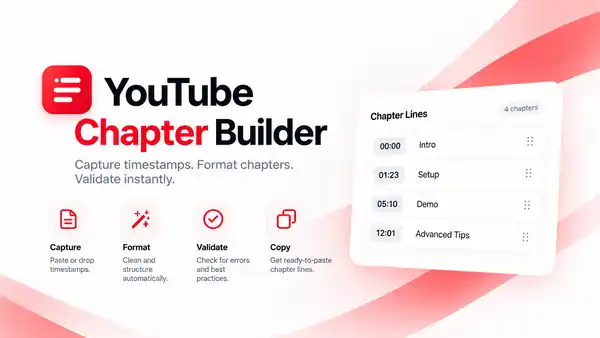
The extension stays intentionally small: no account, no backend, no AI dependency, and no cloud sync are required for the core workflow.
Press Alt+C while reviewing a YouTube video to capture the current playback time and name the chapter.
Paste rough timestamps such as 1.20, 80 sec, 1m20, or 00:01:20 and normalize them automatically.
Check chapter count, 00:00 start, ordering, duplicates, titles, and minimum 10-second spacing.
Copy YouTube or Markdown output, or export clean TXT and CSV files.
GALLERY
These concept visuals introduce the product and its workflow. The Chrome Web Store listing will use final real-extension screenshots alongside the marketing artwork.

PRIVACY
Chapter timestamps and titles stay in chrome.storage.local on the device. The current release candidate has no account, analytics, advertising, AI service, cloud sync, or backend service.
Privacy policyAvailability
YouTube Chapter Builder v1.0 is a release candidate. Chrome Web Store submission is being prepared; it is not yet represented on this website as available for purchase.